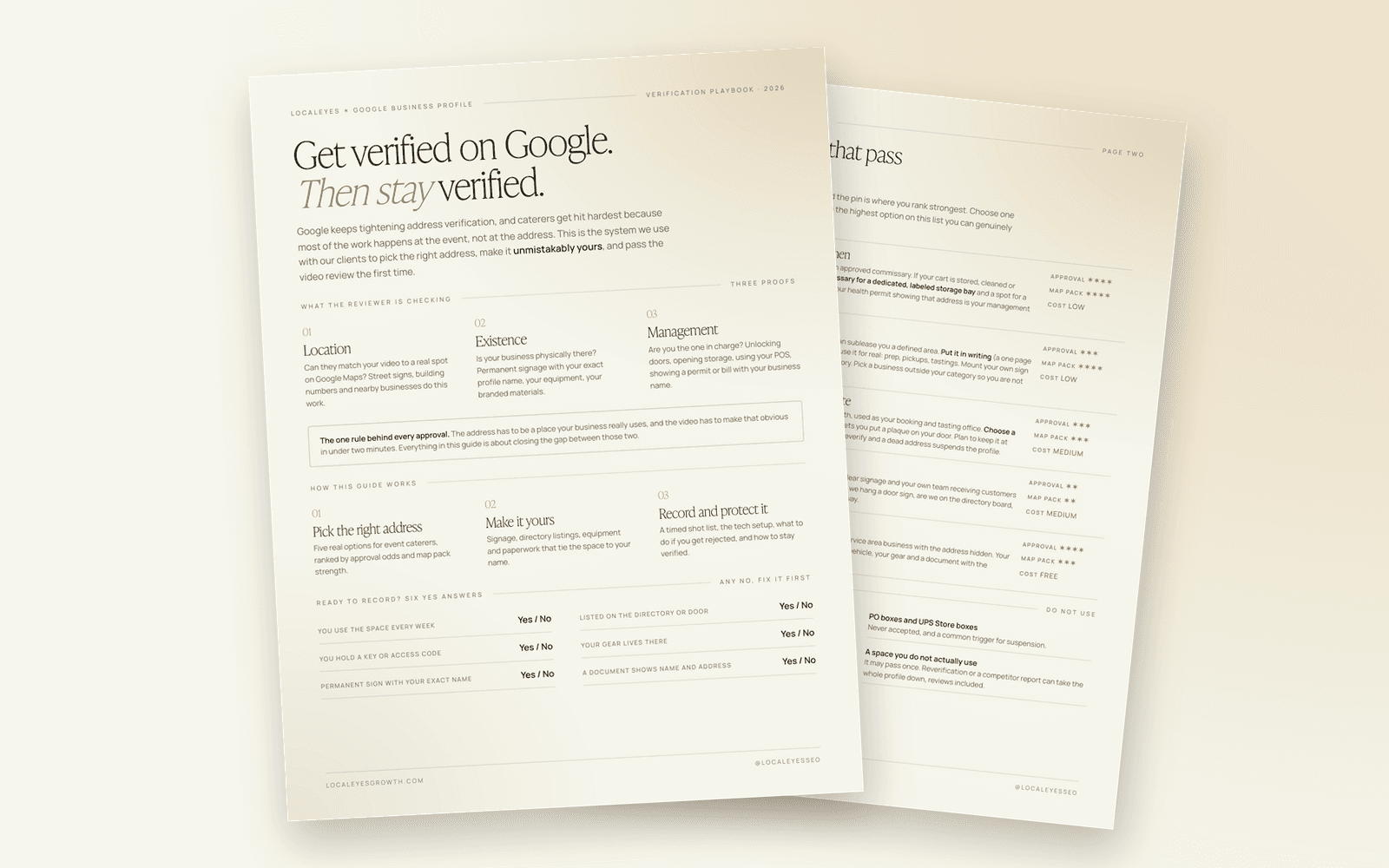
Google business profile video verification comes down to one thing: a single live, unedited video that proves your business is real at the address you gave. The reviewer is checking three proofs. Can they match you to a spot on Google Maps, does your business physically exist there, and are you the one in charge of it. Get all three on camera and most profiles pass. Miss one and you wait up to five business days to find out.
For mobile caterers this is harder than for almost anyone else, because your real work happens at a wedding or an office lobby, not at your address. This guide covers which addresses actually pass for a coffee cart, mobile bar or dessert cart, how to make a space unmistakably yours, and the exact 90-second shot list to record.
Want the printable version? Download the free GBP Verification Playbook (PDF). It has the address options, the signage checklist and the shot list on seven pages you can take to the space with you.
What does Google look for in a verification video?
Google's own requirements break into the same three proofs for every business. What changes is the evidence, depending on whether customers come to you or you go to them.
| Proof | Storefront or hybrid (customers visit you) | Service-area business (you go to them) |
|---|---|---|
| Location | Street signs, building number, neighbors you can see on Maps | Street signs and landmarks at your base address |
| Existence | Permanent signage with your exact profile name | Your tools, equipment, products, workspace, branded clothing |
| Management | Staff-only actions: unlocking a door, opening storage, using your POS | Opening business-only assets like a branded van, or a permit, invoice or utility bill in the business name |
And the rules that trip people up:
- At least 30 seconds long. In practice, aim for 60 to 120.
- One continuous take, recorded live inside the Google app on your phone. No editing, no cuts, no filming ahead and uploading later.
- No other people's faces, and no bank, tax or ID numbers on screen.
- Review takes up to five business days.
Why do caterers fail verification so often?
Three reasons show up again and again in our client work.
First, the address is weak. A virtual office, a UPS Store box or a hot desk at a coworking space. Google's guidelines call these ineligible, and the reviewer usually spots it in the first ten seconds.
Second, address visibility is set wrong. This is the most common reason we see verifications fail. If you show your address publicly, Google expects someone there to receive customers during your listed hours. If nobody is, hide it and verify as a service-area business.
Third, there is nothing on camera that ties the space to the business. No sign, no name on the directory, no cart, no paperwork. The reviewer sees an empty room and rejects it.
The stakes are real. Map pack placement can drive around 10 times more leads than the number one organic result, and address-verified profiles outrank service-area listings in most head-to-head comparisons. The address you verify is where your pin sits, and the pin is where you rank strongest.
Which address can a mobile caterer verify?
Pick an address inside the city you most want to win, then use the highest option on this list you can genuinely make work. "Genuinely" matters. Google can ask any profile to verify again later, and a space you do not really use is the fastest way to lose the profile and every review on it.
| Option | How it works | Approval odds | Map pack strength | Cost |
|---|---|---|---|---|
| Your commissary or shared kitchen | Most mobile food permits already tie you to one. Ask for a labeled bay that is only yours and room for a mounted sign | High | High | Low |
| A corner of a friend's business | A written one-page sublease of a defined area in a cafe, warehouse or studio where your cart or inventory actually lives | Good | High | Low |
| A small private office or executive suite | A lockable office, month to month, in a building with a lobby directory and door plaques | Good | Good | Medium |
| Coworking, private office only | Must allow a door sign, a directory listing and client visits. Any no, walk away | Fair | Fair | Medium |
| A home address, hidden | An owner or manager's home in the target city, verified as a service-area business | High | Good | Free |
The four that fail: virtual offices and mail centers, PO boxes and mailbox stores, hot desks and day passes, and any space you do not actually use.
Should you show your address or hide it?
Show it if someone from your team is there to meet clients during the hours you list, for tastings, consultations or pickups. Then you record the storefront-style video: street, building, sign, door, inside.
Hide it if you only store, prep and dispatch from the address. Set your service cities and verify as a service-area business. The video leans on the neighborhood, your cart and your documents, and there is no signage-at-the-door test. The hidden address still sets where your pin sits for ranking.
If you are not sure, hide it. A visible address with nobody there is the classic rejection.
How do you make a space unmistakably yours?
Use the walk-in test. If a stranger walked in during business hours, could they find you without calling? The reviewer thinks the same way, so your name has to show up at every layer of the building, from the street to your door.
Signage, outside in
- Building or street: exterior sign, window vinyl, or a line on the outdoor tenant panel.
- Lobby directory: ask management to add your exact profile name.
- Front desk: reception should know your name and send visitors to you.
- Your door or bay: an acrylic or metal plaque, door vinyl, or a mounted sign.
- Inside: a logo wall decal, a framed sign, or your banner mounted, not taped.
A sign counts when it looks permanent (screwed, mounted or vinyl, never paper and tape), matches your profile name letter for letter, and is readable on a phone camera.
Proof you operate there
- The cart itself, plus espresso machines, grinders, dessert displays, bar shells.
- Labeled bins, branded cups and sleeves, menu boards, aprons, business cards.
- A prep table or desk with your booking calendar or POS open.
- Your branded van or trailer parked at the address. This does more in a video than any sign.
Paperwork with the same address
- Business license, health or mobile food permit, seller's permit.
- A lease or sublease, a utility or internet bill, or an insurance certificate.
- The business name has to match the profile. Cover any account numbers before filming.
If you share a space, claim a defined zone, brand it consistently, and frame the video tight so the other business's signs, products and people stay out of the shot.
The pre-flight checklist before you record
Google cross-checks your profile against the rest of the internet, so line everything up first.
| Check | What good looks like |
|---|---|
| Business name | Your real-world name, no stuffed keywords, no LLC |
| Primary category | Mobile caterer or Catering |
| Address | Suite or bay number on address line two |
| Address visibility | Shown only if staffed during listed hours |
| Hours | Hours you can actually be there |
| Phone | Your own line, matching your site and listings |
| Website | Footer and contact page show the same name and address |
| Citations | Yelp, Facebook, Instagram, Apple Business Connect and Bing Places all match |
| Phone setup | App updated, location, camera and mic allowed, storage cleared, strong signal tested at the address |
The 90-second shot list
Do not improvise. Walk the route twice on your normal camera, then record once in the app. Walk slowly, hold each shot for two seconds, and say out loud what you are showing.
| Time | Shot | What to show |
|---|---|---|
| 0:00 | Street sign | Pan across the street sign, then a neighbor business or landmark |
| 0:10 | Building | The street number clearly, plus any exterior signage |
| 0:20 | Lobby | Walk in without cutting, stop on the directory with your name |
| 0:35 | Your door | Your plaque up close, then unlock the door or bay with your own key |
| 0:50 | Operations | The cart, machines, cups, menu boards. Touch and open things |
| 1:10 | Management | Your POS or booking calendar, or a permit with the name and address |
| 1:25 | Close | End on your sign or logo wall |
Something like this works as narration: "This is the corner of Main and Fifth. Here is our building, number 120. Here we are on the directory. This is our door, I am unlocking it now. This is our cart, our machines and our cups. And here is our permit for this address."
How to raise your odds of passing the first time
These are the moves that make the biggest difference without cutting corners.
- Check for instant verification first. If your website is already verified in Google Search Console under the same Google account, Google sometimes offers instant verification or skips the video. Check before you set anything up.
- Look at every method offered. Options vary by profile and address: video, live video call, phone, email or postcard. A live call with a Google rep is often easier for a business with real gear to show.
- Pick the service-area route if nobody is staffed at the address. It is the easiest bar to clear.
- Lead with your strongest document. A health or mobile food permit at that address is the hardest proof to argue with.
- Bring the van or the cart. Branded equipment physically at the address beats everything else on camera.
- Freeze the profile before you record. No edits to name, address or category in the days before the video.
- Film like a reviewer is watching. Daylight, a quiet building, slow pans, a wide shot of the street first.
What to do if Google rejects your video
Open Review issues in your profile and read exactly what was missing. Fix the gap in the real world first: add the sign, get the directory line, find the permit. Then record a new video that includes everything from the first one plus the missing piece.
Do not change your name, address and category between attempts. If the upload hangs at 99 percent, retry right away, it often goes through the second time. If the video route keeps stalling, try another method Google offers.
How do you stay verified?
Verification is not a one-time event. Google can ask any profile to verify again, and suggested edits from the public can quietly change your details. Keep the sign up and the space in use, avoid big edits for a few weeks after approval, add photos taken at the address, and reject wrong suggested edits when you see them.
Keep a small verification kit on file: the lease or sublease, your permit and one utility bill with the same name and address, dated photos of every sign, and your written shot list so anyone on the team can re-record it in one take.
Once you are verified, the profile becomes one of the strongest ranking assets you own. The rest of the system, from reviews to your site to citations, is laid out in the complete local SEO guide for mobile caterers. If you are verified and still invisible, start with why mobile caterers get zero leads from Google, or run the Growth Diagnostic and we will show you what is holding the profile back.
FAQ
How long does Google Business Profile video verification take?
Google says review can take up to five business days after you upload. Most catering profiles we work with hear back sooner, but plan for the full window and do not edit the profile while it is under review. If it is rejected, the Review issues section tells you what was missing, and you can record a new video right away.
Can I verify a Google Business Profile with a coworking space?
Only with a dedicated private office, not a hot desk. Google's guidelines require clear signage at the location and your own team receiving customers there during business hours. Before you sign, confirm the space allows a door sign, a directory listing and client visits. If any of those is a no, the address will likely fail.
Can I use a virtual office for Google Business Profile verification?
No. Google treats a rented mailing address where you do not operate as ineligible, unless the office is staffed by your team during business hours. Virtual offices and mailbox stores are among the most common reasons we see catering profiles rejected or suspended. A commissary bay, a sublet corner or a private office is a far safer route.
Do I need a storefront to verify my catering business on Google?
No. Mobile caterers can verify as a service-area business with the address hidden. The video then shows street signs or landmarks near your base, your cart and equipment, and a document like your health permit or a utility bill in the business name. Your hidden address still sets where your pin sits for ranking.
What should I not show in a Google verification video?
Leave out other people's faces, including coworkers and customers, and any bank, tax or ID numbers. Never open a banking login on camera. Avoid filming another company's signs or equipment, especially in a shared space, because it makes the reviewer question whose business is really there.
Get the playbook
Download the free GBP Verification Playbook (PDF). Seven pages covering the five addresses that pass, the signage stack, the pre-flight checklist, the 90-second shot list and seven moves for a first-time pass, built to print and take to the space before you hit record.